Introduction
Navigating the complexities of search often reveals a critical weakness: keyword-based systems falter when users express their needs using natural language. Take a user searching for “something warm and breathable for high-altitude trekking.” Traditional keyword search engines struggle to deliver relevant results, as the specific phrases in the query rarely match the terms used in the underlying data. Here's the thing: similarity search provides a solution by focusing on semantic meaning rather than mere keyword alignment. This approach allows systems to interpret user intent and connect it to pertinent records, even when the vocabulary doesn’t directly match. This piece explores how to implement similarity search within the PostgreSQL ecosystem using the pgvector extension. You’ll discover how to establish this powerful tool in your database, manage vector embeddings, and execute similarity queries—all while utilizing standard SQL without needing to adopt a separate vector database.Understanding Vector Embeddings
At its core, a vector embedding serves as a numerical representation of data, encapsulating its meaning rather than its specific language. These embeddings, generated by sophisticated machine learning models, are designed to cluster semantically similar pieces of content into close proximity within a high-dimensional numerical space. For example, consider these two phrases: - “Lightweight trail runners for long-distance hiking” - “Running shoes built for backcountry endurance” Despite lacking any common words, a well-trained embedding model would produce vectors for these phrases that are numerically similar. This proximity is what enables effective similarity searches: by embedding a user's query, you can pinpoint stored vectors that are closest to it, thereby retrieving the most relevant rows.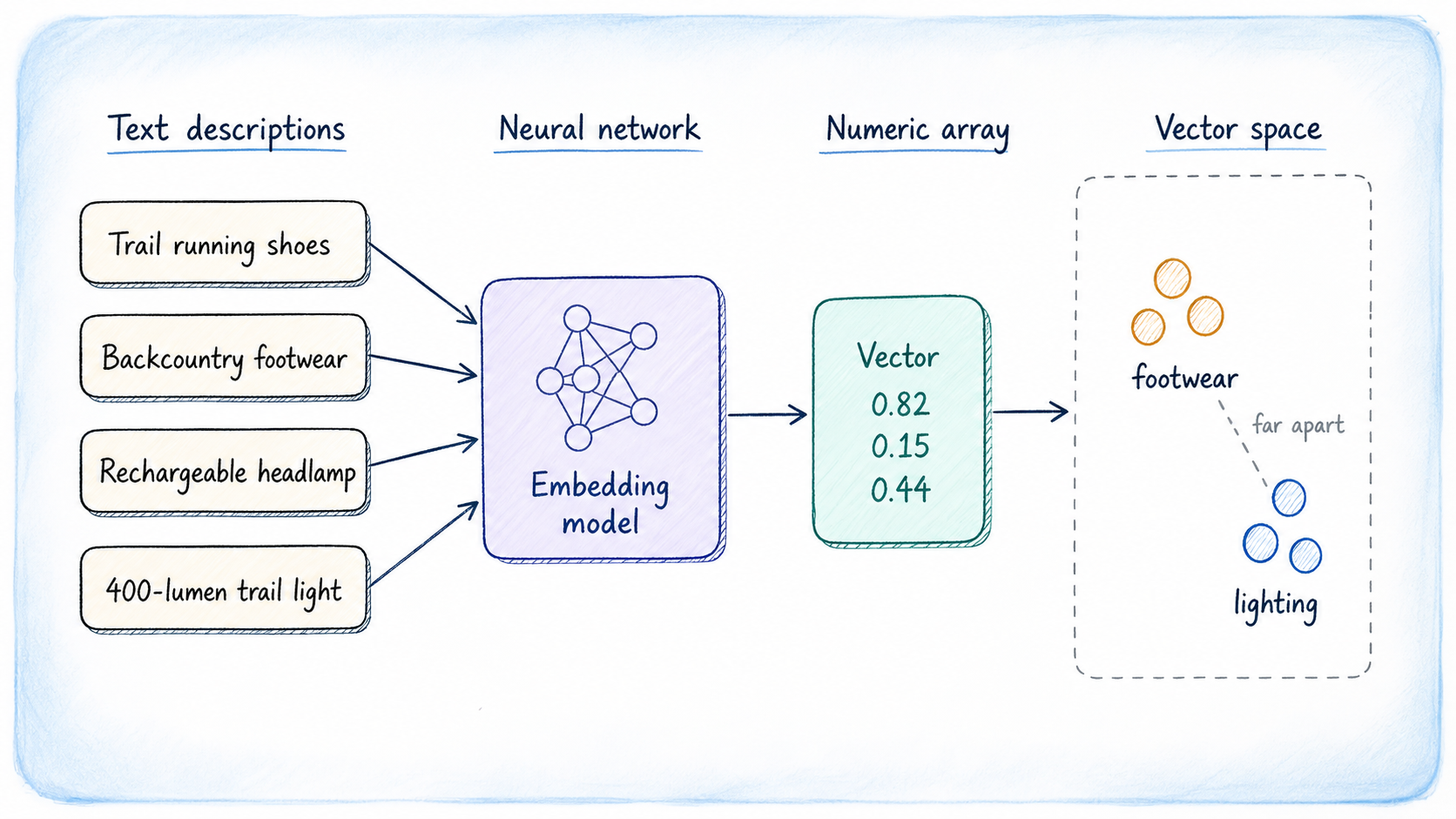
Generating Embeddings
pgvector: A Game-Changer for PostgreSQL
The open-source extension **pgvector** transforms PostgreSQL by integrating native vector search capabilities directly into your existing database environment. Instead of requiring a separate vector store, pgvector allows you to retain your embeddings alongside relational data, providing the advantages of PostgreSQL's established features, such as transactional integrity and comprehensive SQL support. This extension introduces a specific vector data type for storing embeddings, along with SQL distance operators that rank query results based on similarity. It also incorporates specialized index types, namely **HNSW** and **IVFFlat**, enhancing the speed of nearest-neighbor searches. Alternative vector types such as **half-precision**, **binary**, and **sparse vectors** are supported too. If you're working with PostgreSQL starting from version 13 or above, pgvector is an easy fit. You can follow the detailed [installation guide](https://github.com/pgvector/pgvector#installation) provided in the repository, which outlines multiple platforms effectively.Installation Setup
To start with pgvector, installing it on macOS is straightforward if you have the Xcode Command Line Tools set up. It’s a one-liner: just type brew install pgvector in your terminal. This command fetches the necessary resources and handles the installation automatically.
For those using Windows, Docker, or conda-forge, you’ll want to reference the installation guidelines located in the official repository. After installation, enabling the extension for your database is a necessary step, and it only needs to be done once for each database. The command you’ll use is quite simple:
|
1
|
CREATE EXTENSION IF NOT EXISTS vector;
|
Setting Up Your Database with Vectors
In our project, we'll create a product catalog designed for an outdoor gear retailer. Each item will not only have a descriptive text but will also include an embedding that captures the essence of the description, enabling searches based on semantic meaning. Let’s lay out the structure for this table:
|
1
2
3
4
5
6
7
8
|
CREATE TABLE products (
id SERIAL PRIMARY KEY,
name TEXT NOT NULL,
category TEXT,
description TEXT,
embedding vector(1536)
);
|
The column designated as vector(1536) will store embeddings generated for each product, with the dimension matching the output of your selected model. If you opt for a different model, be sure to adjust this dimension accordingly. For simplicity in our examples, we’ll implement a smaller test table using 3-dimensional vectors to keep our cases clear and succinct.
Populating Your Database
When populating this database, the typical method would involve utilizing an embedding API to process each product's description at the point of insertion, capturing the resulting vector. However, for clarity, we’ll handcraft values in three dimensions for our examples—this not only illustrates the clustering principle but also provides insight into how similar products group together. For instance, footwear might have closely aligned values for the first component, while lighting items will cluster around the second. Backpacks will exhibit similarity in the third component. This shows that models return embeddings that behave similarly.